Project management that runs on your own server
Boards, backlogs, dashboards, intake forms and a shared mailbox that turns requests into work items — one fast app your team logs into, on infrastructure you control.
- Your data stays on your server
- No plugins, no add-on pricing
- Admin and member roles built in
Everything a small team needs to ship
Each piece is built in, works out of the box, and shares one data model — no plugins, no add-on pricing, no external services.
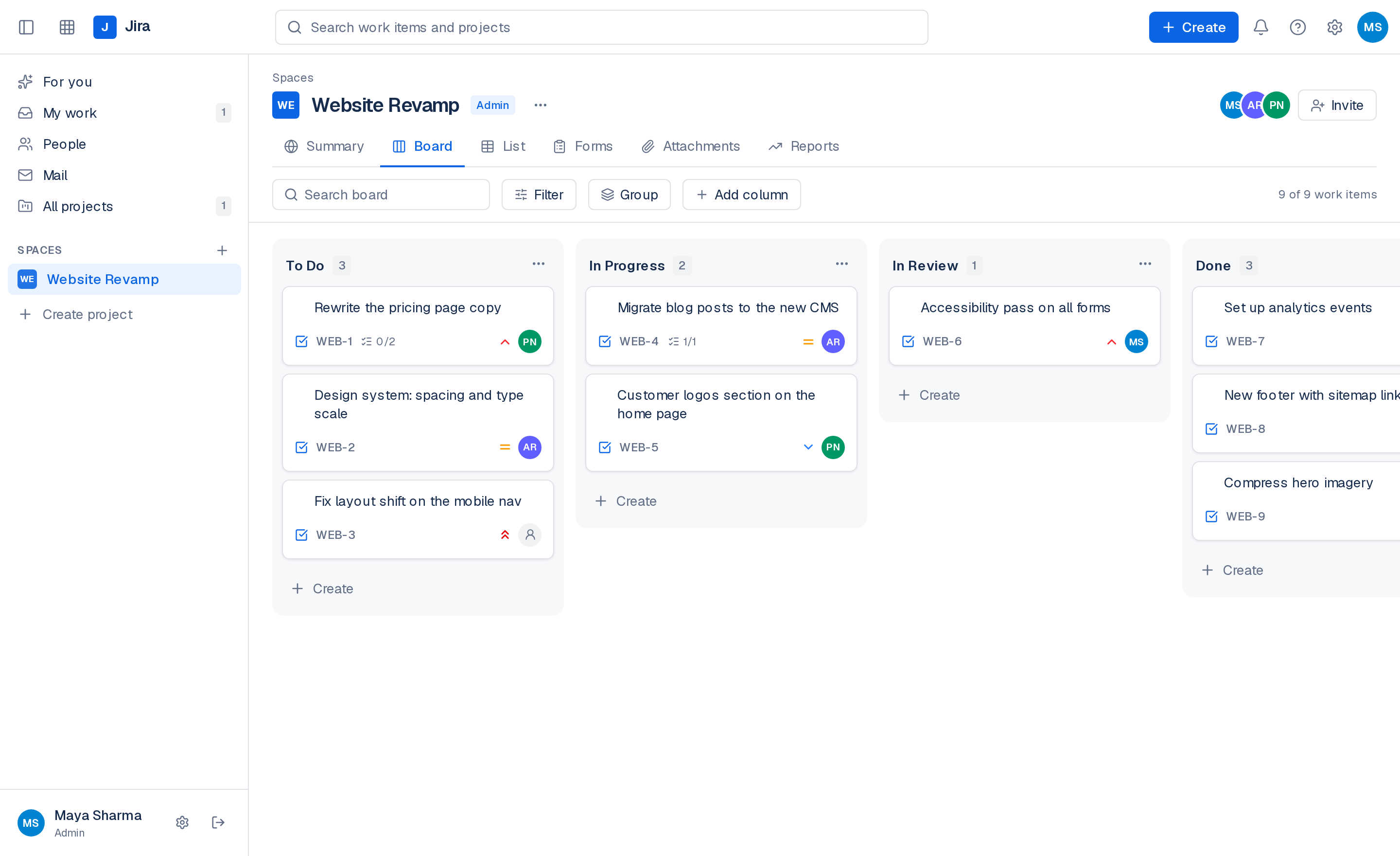
Boards that behave
Drag cards between columns or reorder them in place. Add, rename and reorder columns to match how your team actually works.
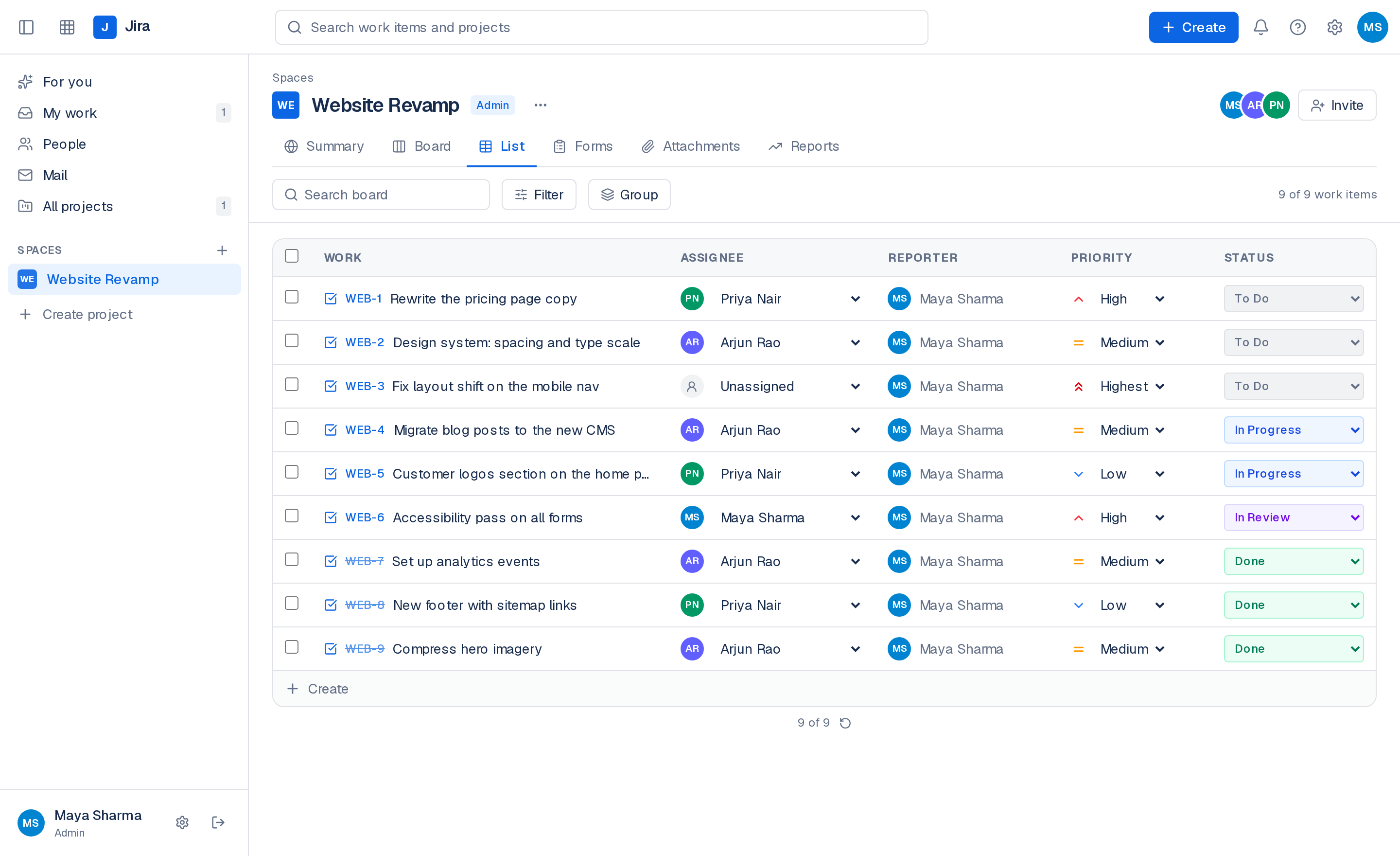
List view with inline edits
Every work item in a table — change status, assignee or priority without opening anything.
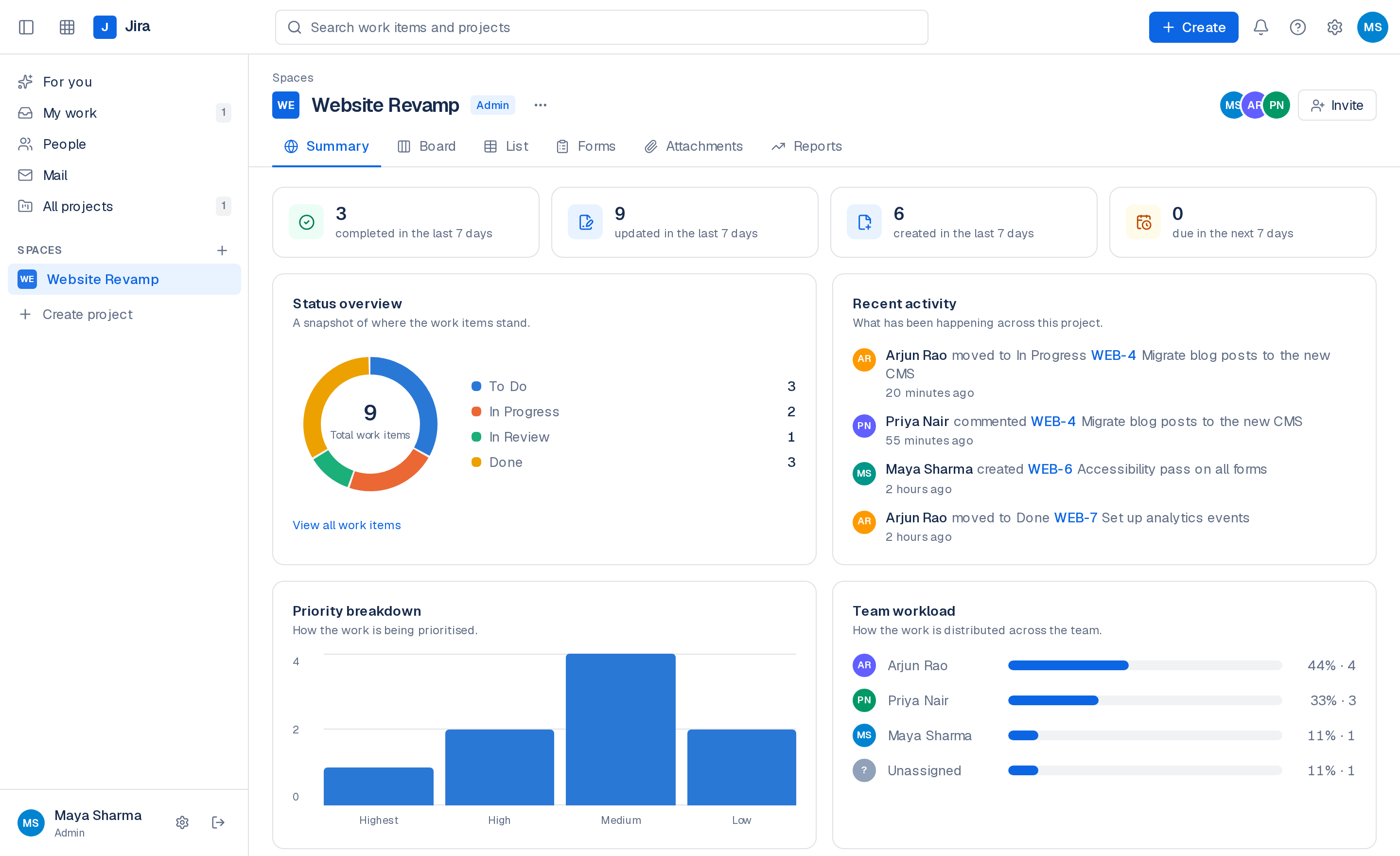
Summary and reports
Status and priority breakdowns, team workload, creation and completion trends, and cycle time, from your own data.
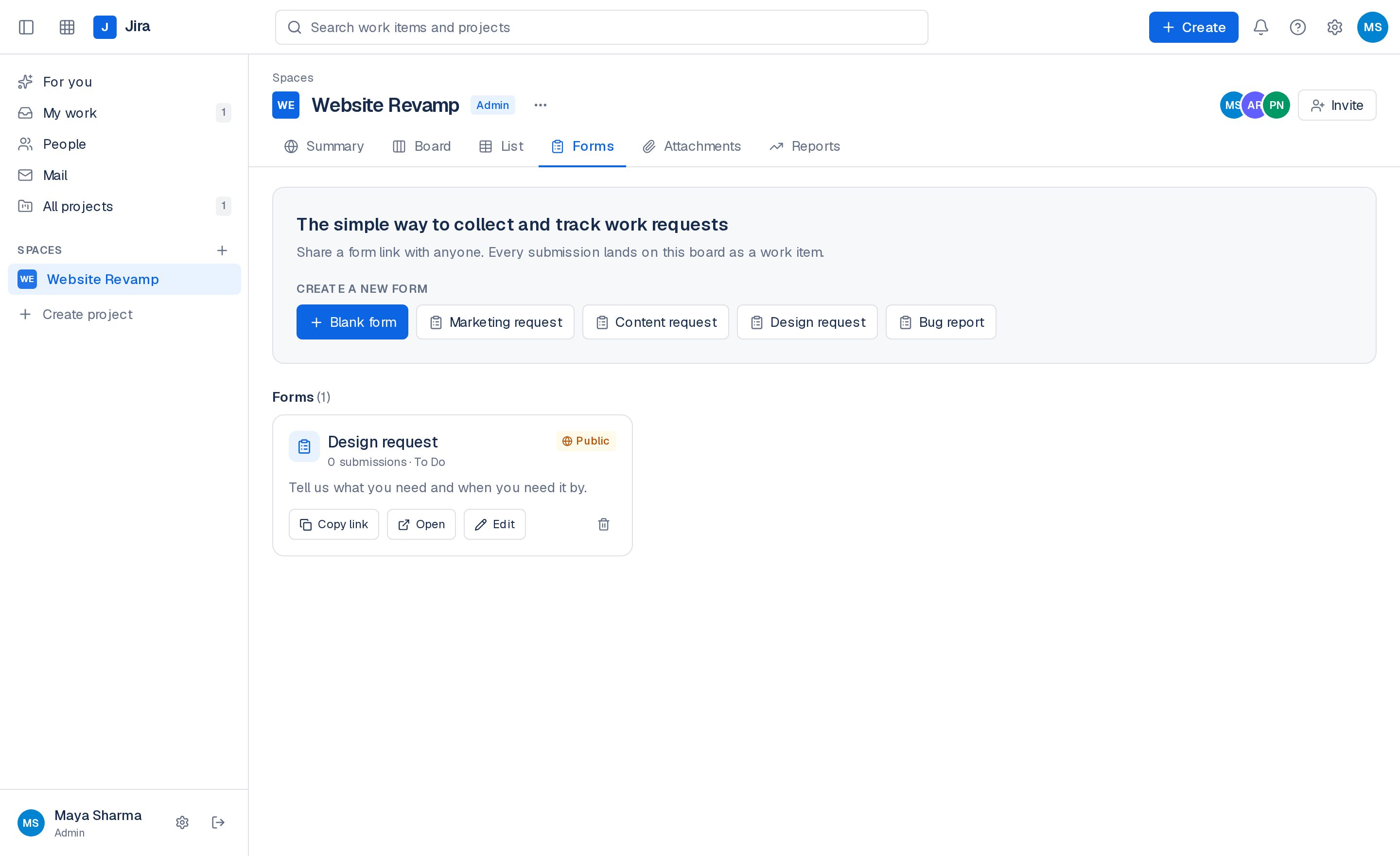
Intake forms
Share a link with anyone. Each submission arrives on the board as a work item, in the column you choose.
Mail to work items
Connect a mailbox over IMAP, read and reply in the app, and turn any request into a task in one step.
Everything on the item
Rich-text descriptions, attachments, comments, subtasks, labels, due dates and full history.
Search, filter, group
Find work across projects, filter by assignee, priority or label, and group the board however you think.
Invite your team
Admins create projects and invite members by link. Members get on with the work.
A board your team can move fast on
Columns are yours to define. Cards carry priority, assignee, subtask progress and attachment counts, so a glance tells you where things stand. Drag to reorder within a column or move across the board — it saves as you drop.
- Custom columns, drag to reorder
- Subtask and attachment counts on cards
- Filter and group without losing your place
The whole backlog in one table
The list view puts every work item in front of you with inline controls. Change status, reassign or re-prioritise straight from the row, and create new items without leaving the page.
- Inline status, assignee and priority
- Reporter and key on every row
- Grouping and search carry over from the board
Reporting that comes from real work
No configuration, no separate BI tool. Summary gives you the shape of the project today; Reports adds creation and completion trends plus cycle time as items move through your columns.
- Status, priority and assignee breakdowns
- Team workload distribution
- Creation, completion and cycle-time trends
Requests arrive as work, not as noise
Publish a form for the people who ask your team for things, and connect the shared mailbox everything else lands in. Both routes end in the same place: a work item on the right board, with the sender's details attached.
- Public or members-only form links
- IMAP inbox with reply, archive and search
- One click from an email to a work item
Running in four steps
Nothing to configure before you start. The defaults are the ones most teams keep.
- 01
Create the admin account
The first account owns the instance. No signup queue, no seats to buy.
- 02
Spin up a project
It starts with To Do, In Progress and Done. Add columns whenever the workflow needs them.
- 03
Invite the team
Share an invite link. They set a password and land straight in the project.
- 04
Let work arrive
Point a form or a shared mailbox at the board and requests become work items.
Two roles, clearly drawn
Admins create projects, manage columns, invite people and run the mailbox. Members work the board. Every action is re-checked on the server, not just hidden in the interface.
Joining takes one link
Invite by email and share the link. New teammates set their own password and land straight in the project. Forgotten passwords reset by email, or by a link an admin generates.
Your data stays put
Everything lives in a file-backed database and an uploads folder on your server. Mailbox credentials are encrypted at rest, and attachments are only served to members of the project they belong to.